PEAKDEFENCEWINGMAN · Use cases

Incident handling

Support every stage of an incident, from the first signal to the risk review it should trigger.

Typical requirementsNIS2 Art. 23DORAGDPR Art. 33

Screens for this stage · Stage 1: Detection
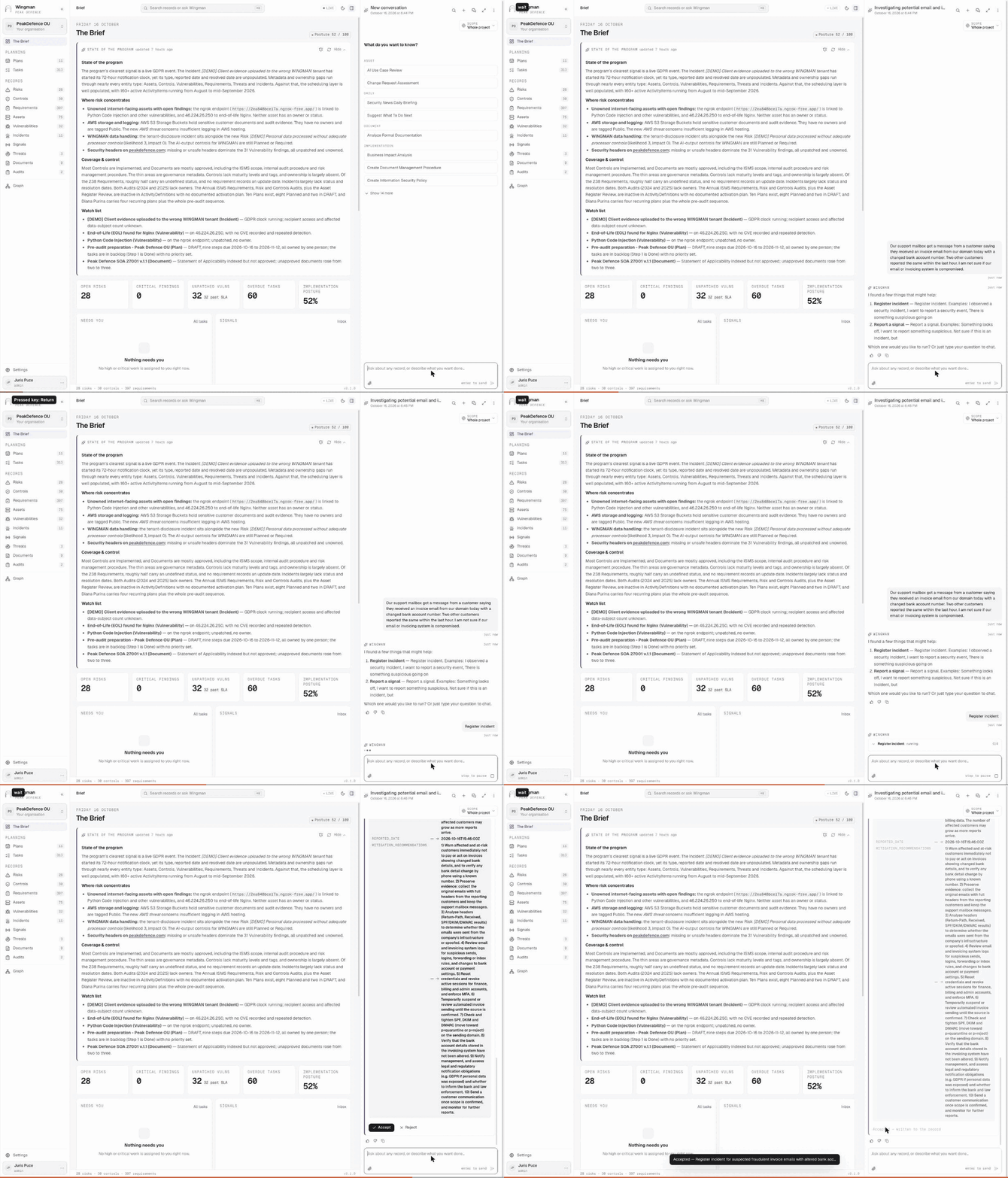
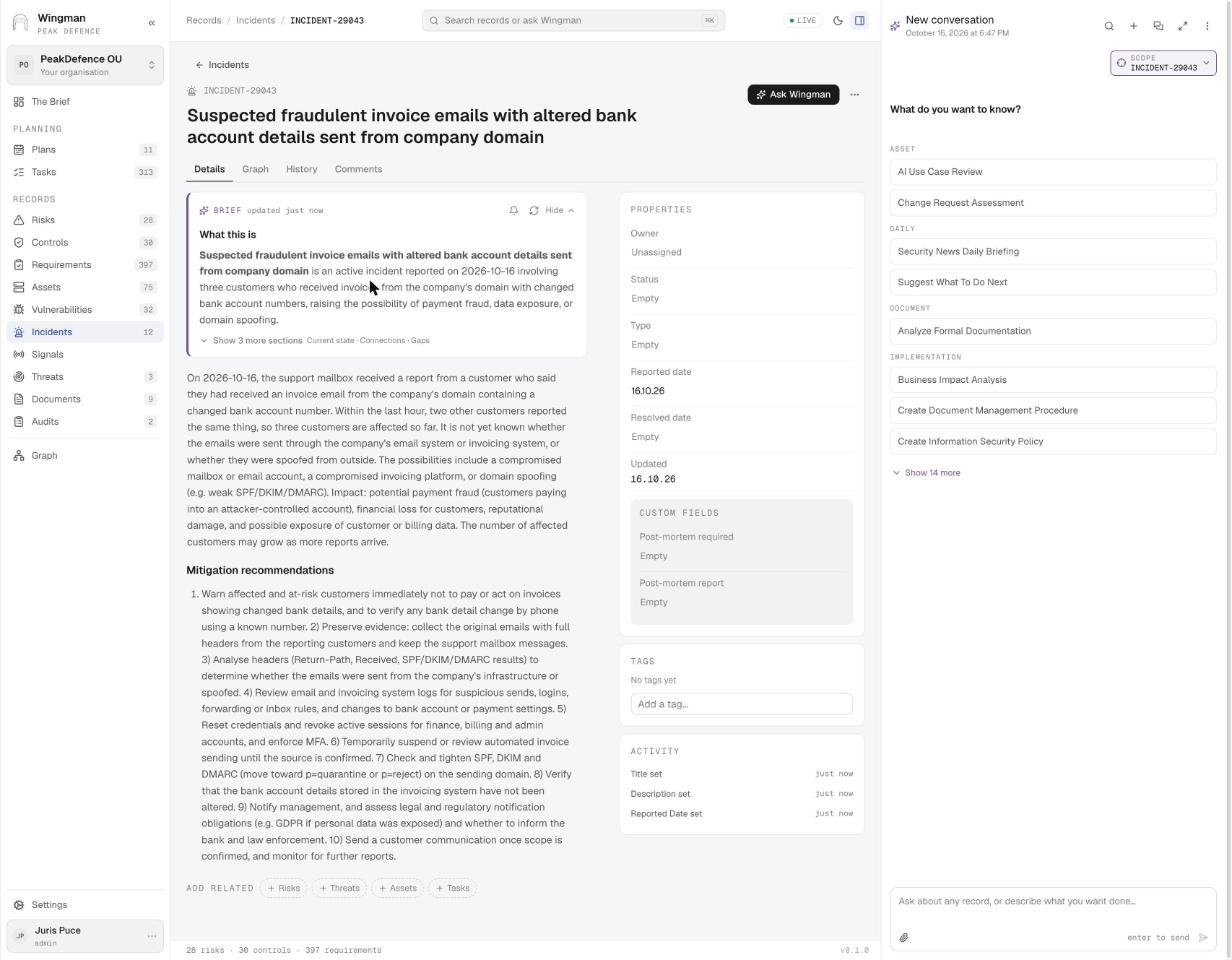
Describe what happened; WINGMAN registers the incident GIF
Ask Wingman Describe what happened; WINGMAN registers the incident A support colleague describes three customer reports of invoice emails with a changed bank account. The orchestrator recognises a suspected incident, offers Register incident or Report a signal, runs the four-step skill, and submits the drafted record as a suggestion. Accept writes it.
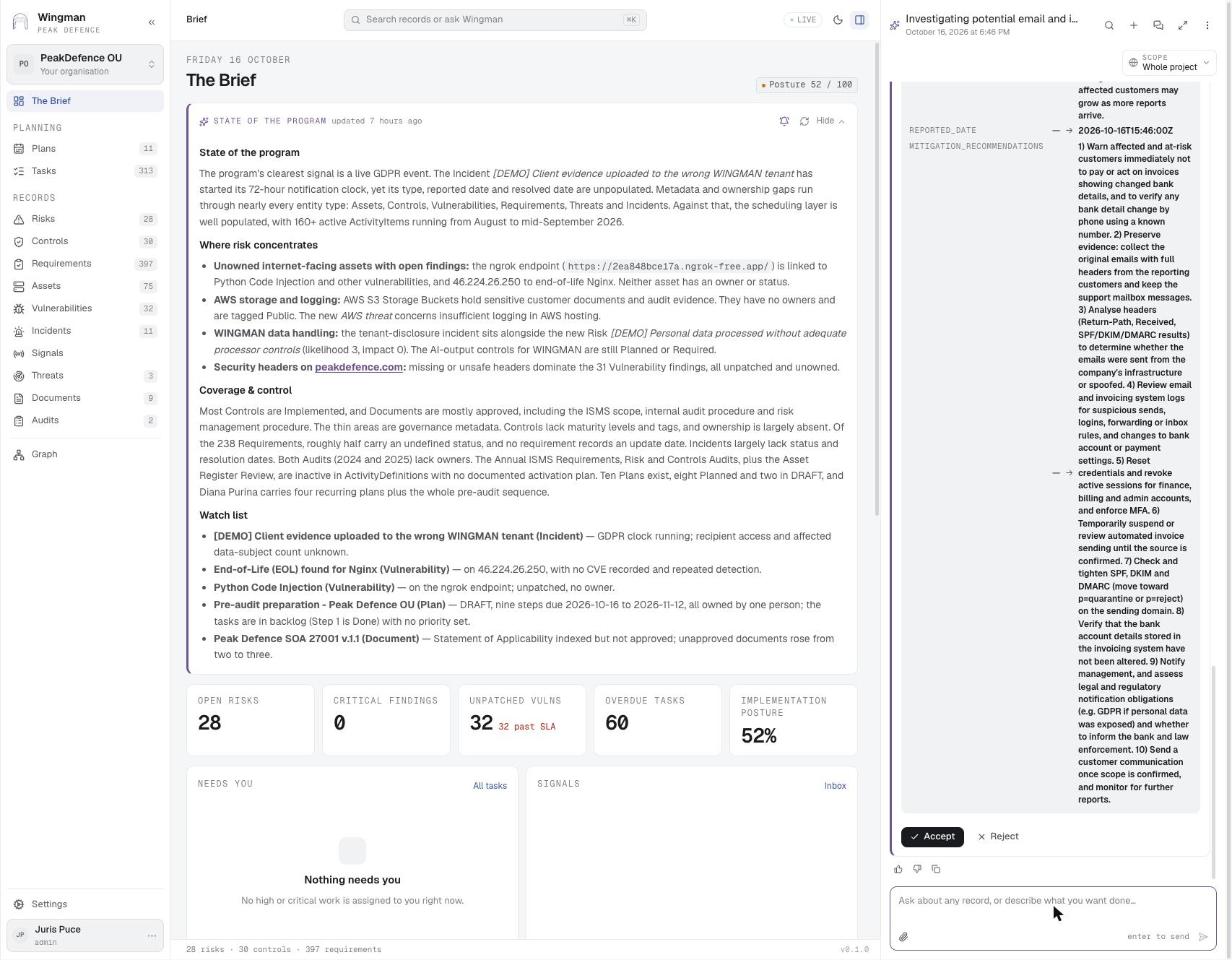
The drafted incident as a suggestion
Ask Wingman · step 1 The drafted incident as a suggestion The skill collected the details, drafted the record with title, affected parties, source of the problem and ten mitigation recommendations, and shows it with Accept and Reject.
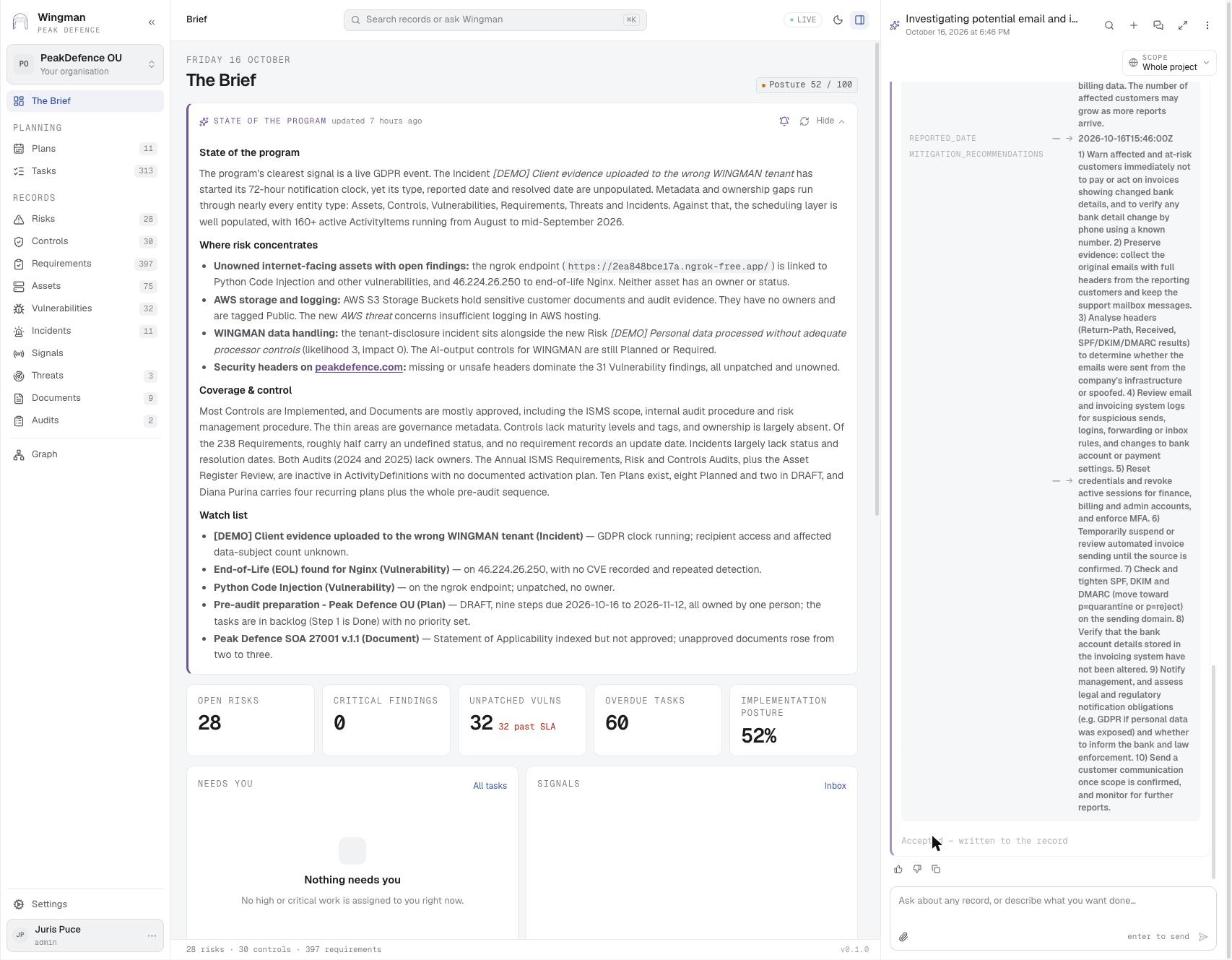
Accepted — written to the record
Ask Wingman · step 2 Accepted — written to the record One click turns the suggestion into INCIDENT-29043.
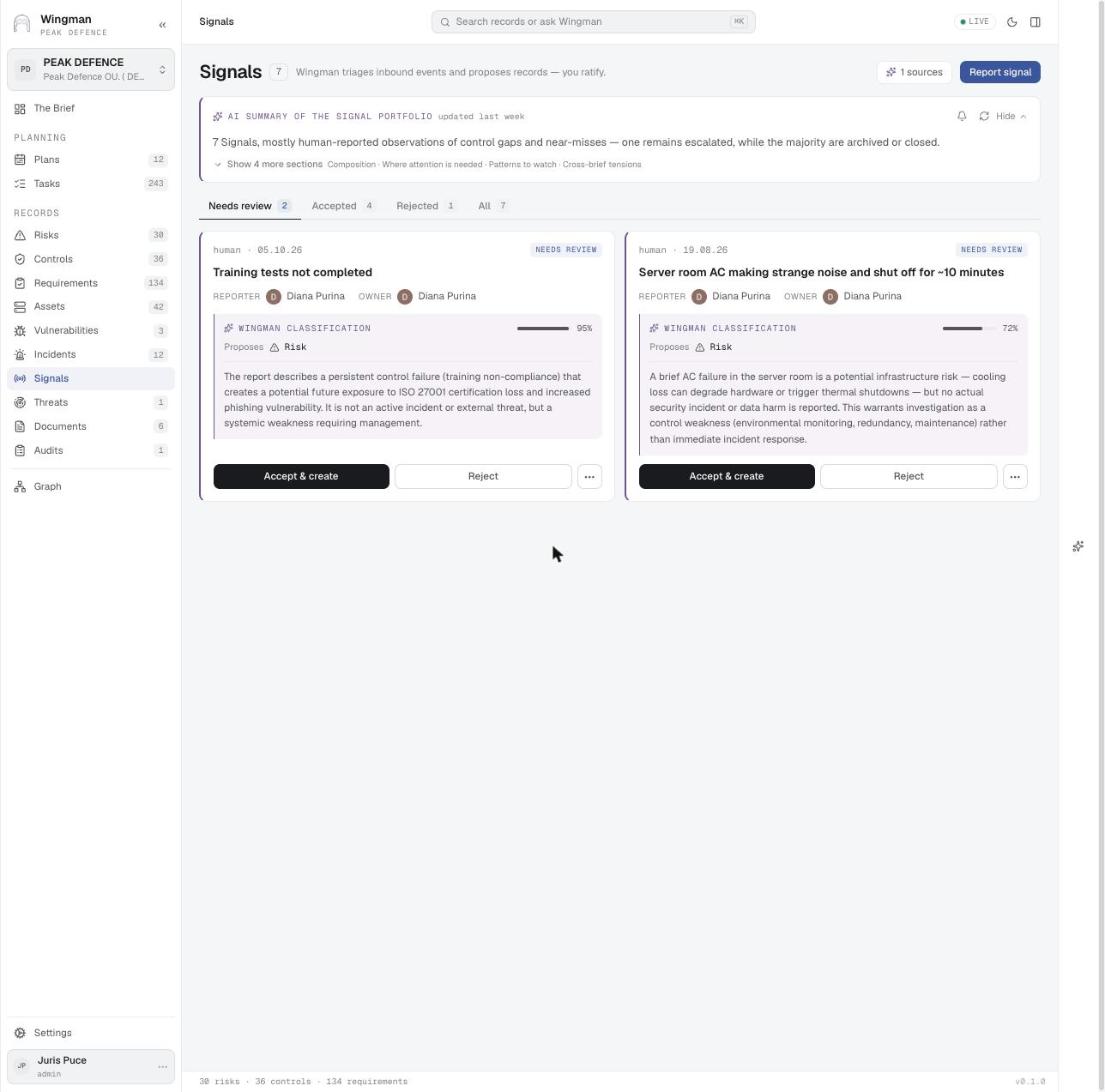
The signals inbox
Signals The signals inbox Human-reported observations arrive as cards. WINGMAN classifies each one with a confidence score and proposes a risk or an incident; the owner accepts or rejects.
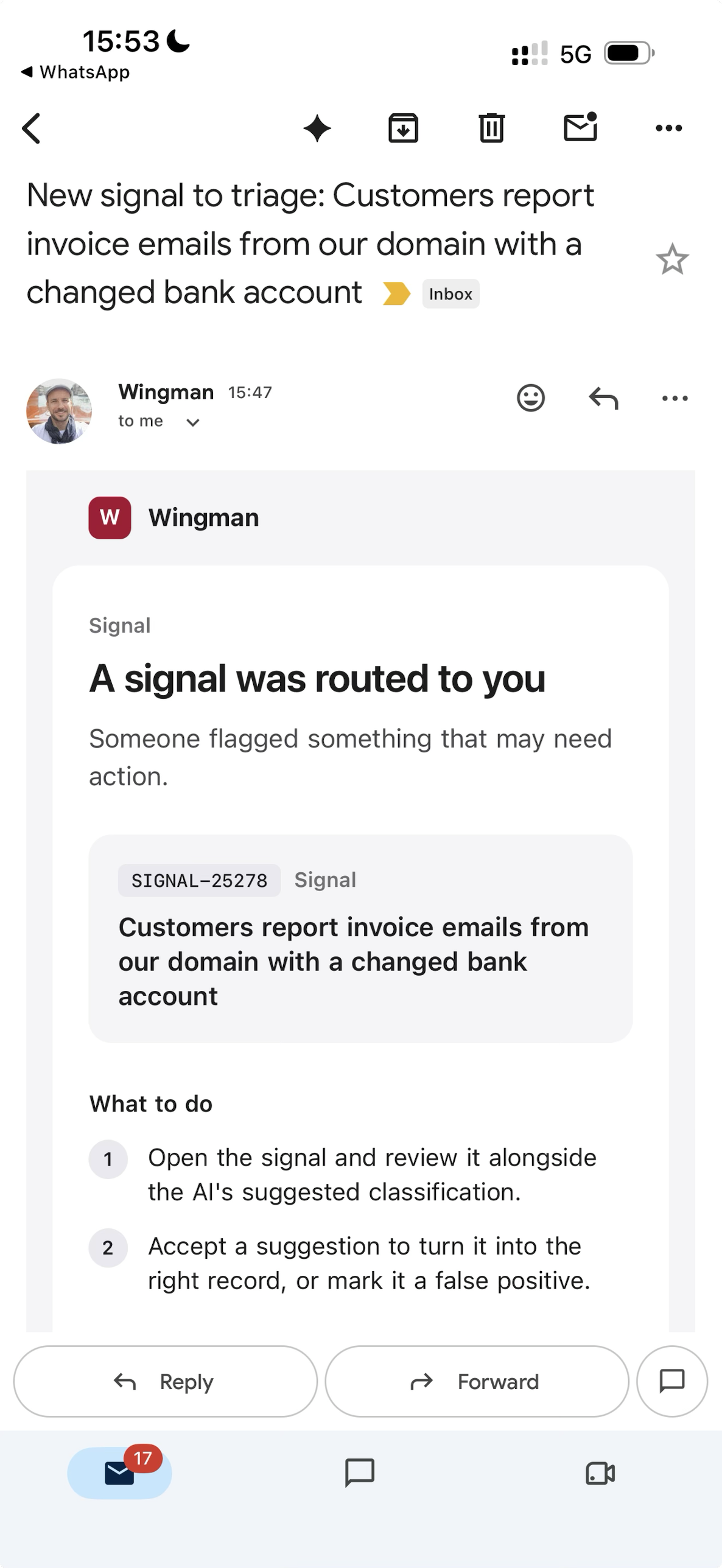
The email the owner receives
Email notification The email the owner receives A signal routed to you: the record id and title, and what to do: open it beside the AI classification, then accept a suggestion or mark it a false positive.

Screens for this stage · Stage 2: Triage
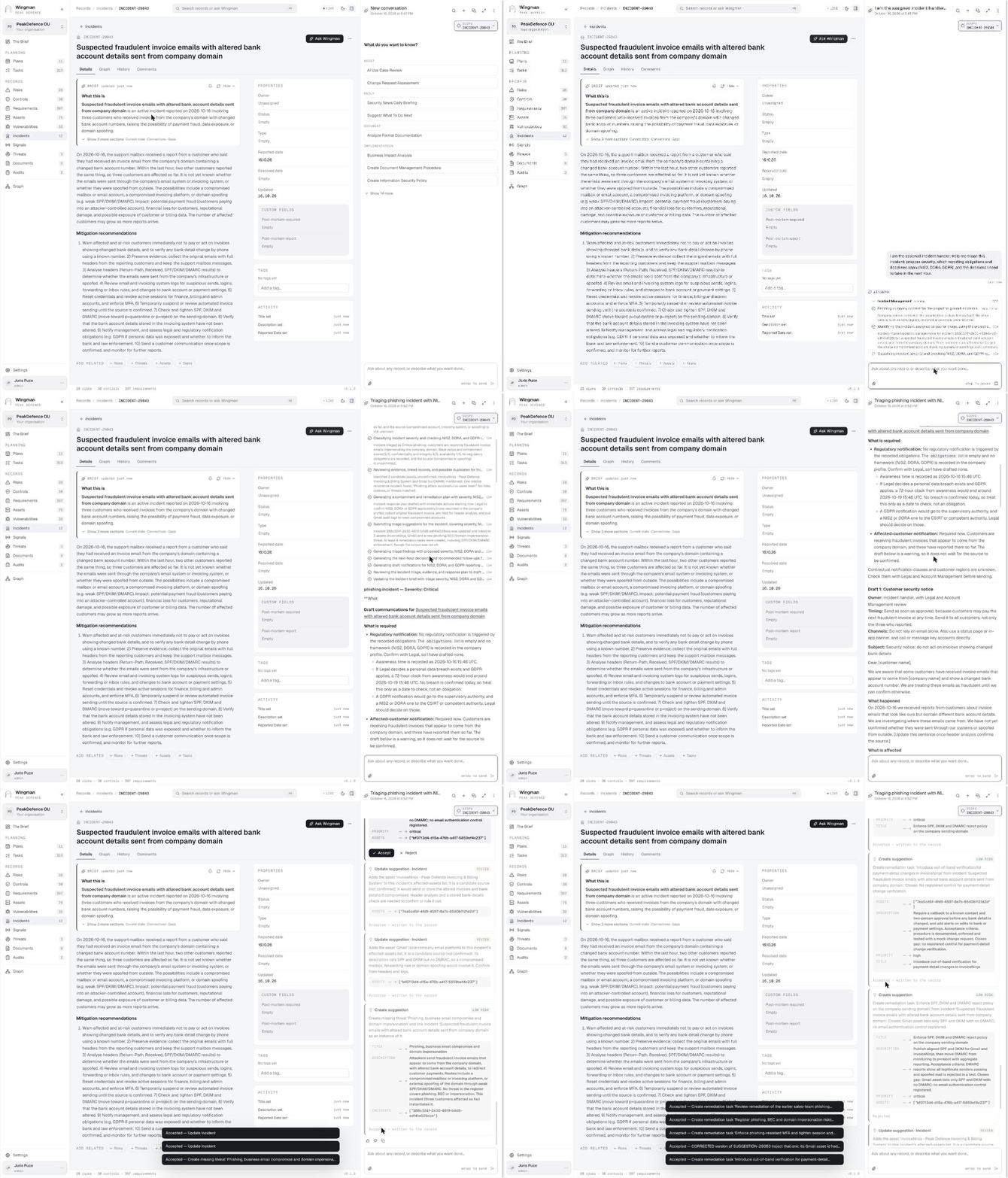
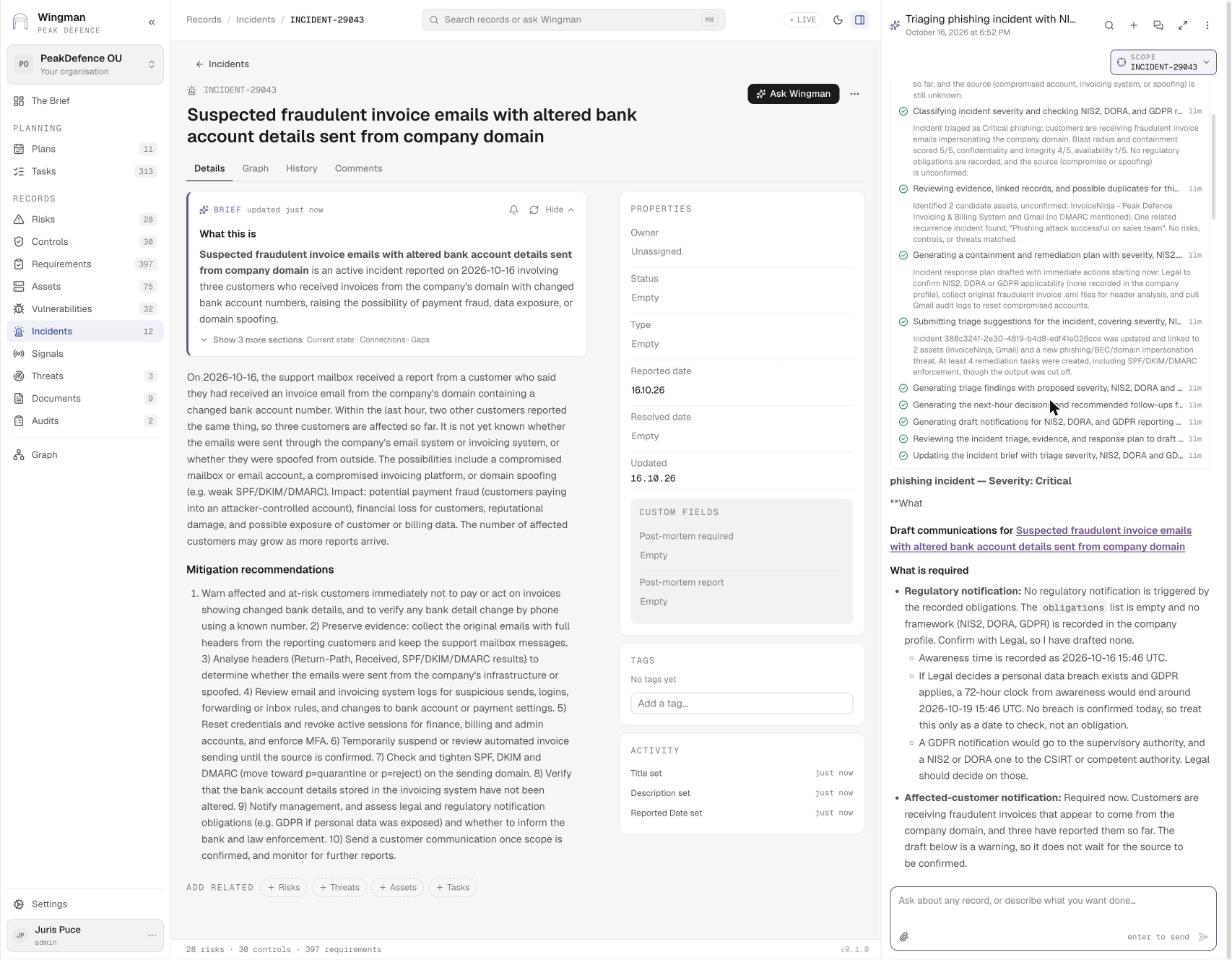
Triage with the incident handler GIF
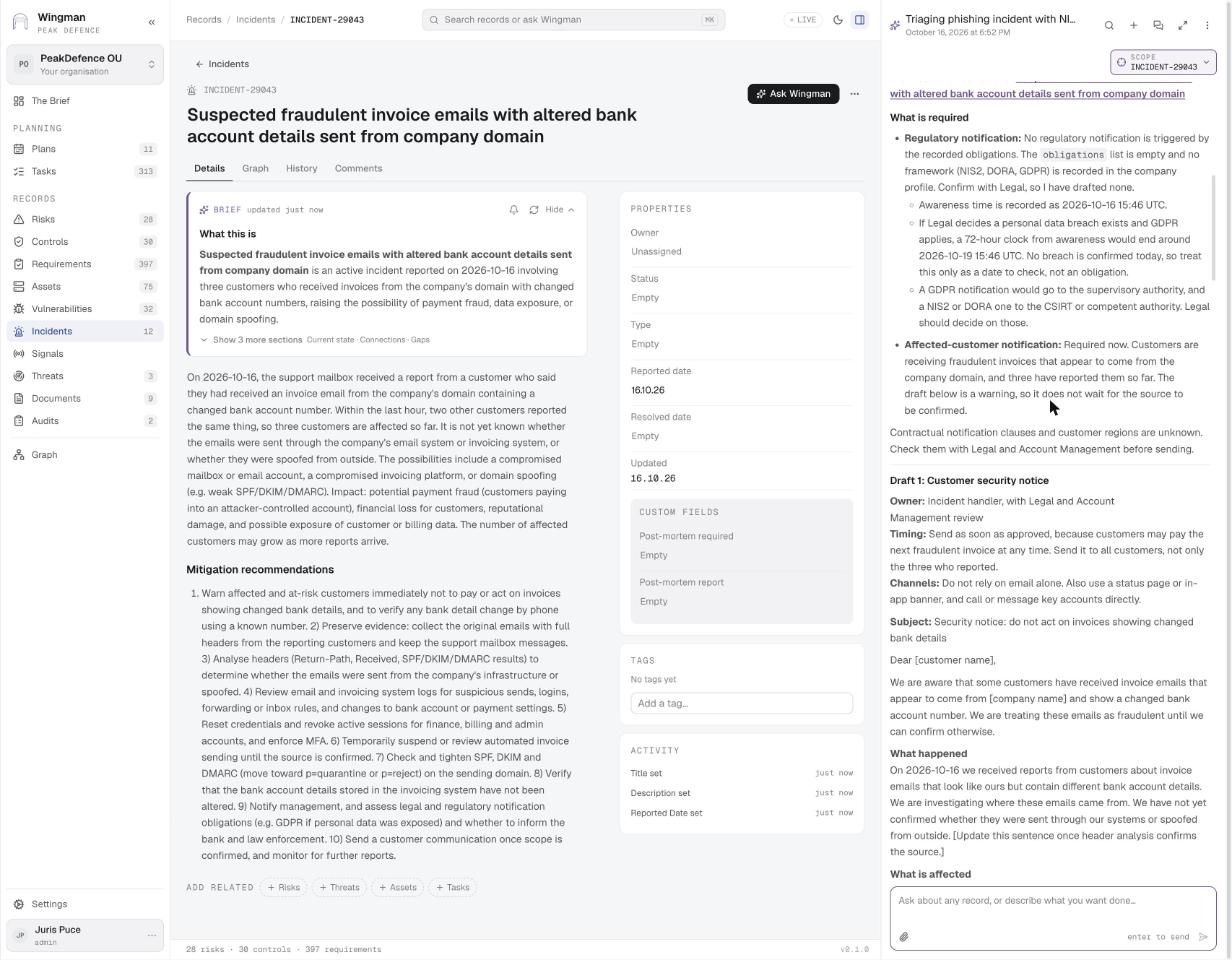
Ask Wingman Triage with the incident handler The assigned handler asks for severity, reporting obligations and next-hour decisions. The Incident Management skill runs eleven steps and ends with suggestions: link the two candidate source systems, create the missing threat, and six remediation tasks. The handler accepts or rejects each.
Eleven steps, severity Critical
Ask Wingman · step 1 Eleven steps, severity Critical Company context, intake, severity classification, evidence and duplicates, response plan, suggestions, findings, next-hour decisions, draft notifications, interim post-mortem, brief update. Then what is required: no regulatory obligation recorded yet, GDPR 72 h clock only if Legal confirms a breach, customer notice required now.
The incident WINGMAN registered from the conversation
Incidents · step 3 The incident WINGMAN registered from the conversation Title, description, ten mitigation recommendations and a fresh brief, written from what the reporter said in chat. Post-mortem fields wait for later.
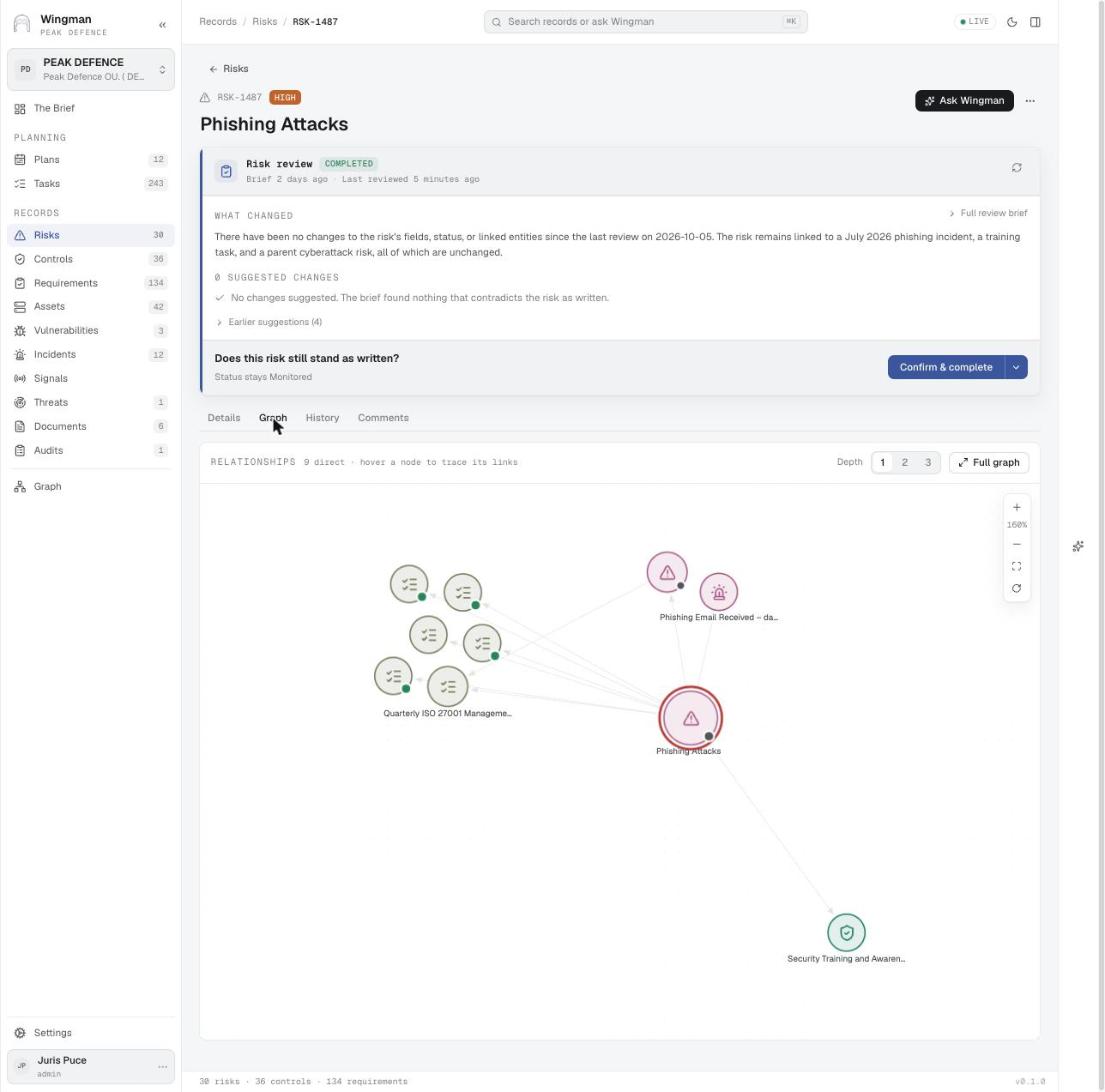
The graph of one record
Graph The graph of one record Every record has a Graph tab: the risk in the centre, its review tasks, the incident that realised it and the control that reduces it. Depth 1 to 3, or open the full graph.

Screens for this stage · Stage 3: Resolution
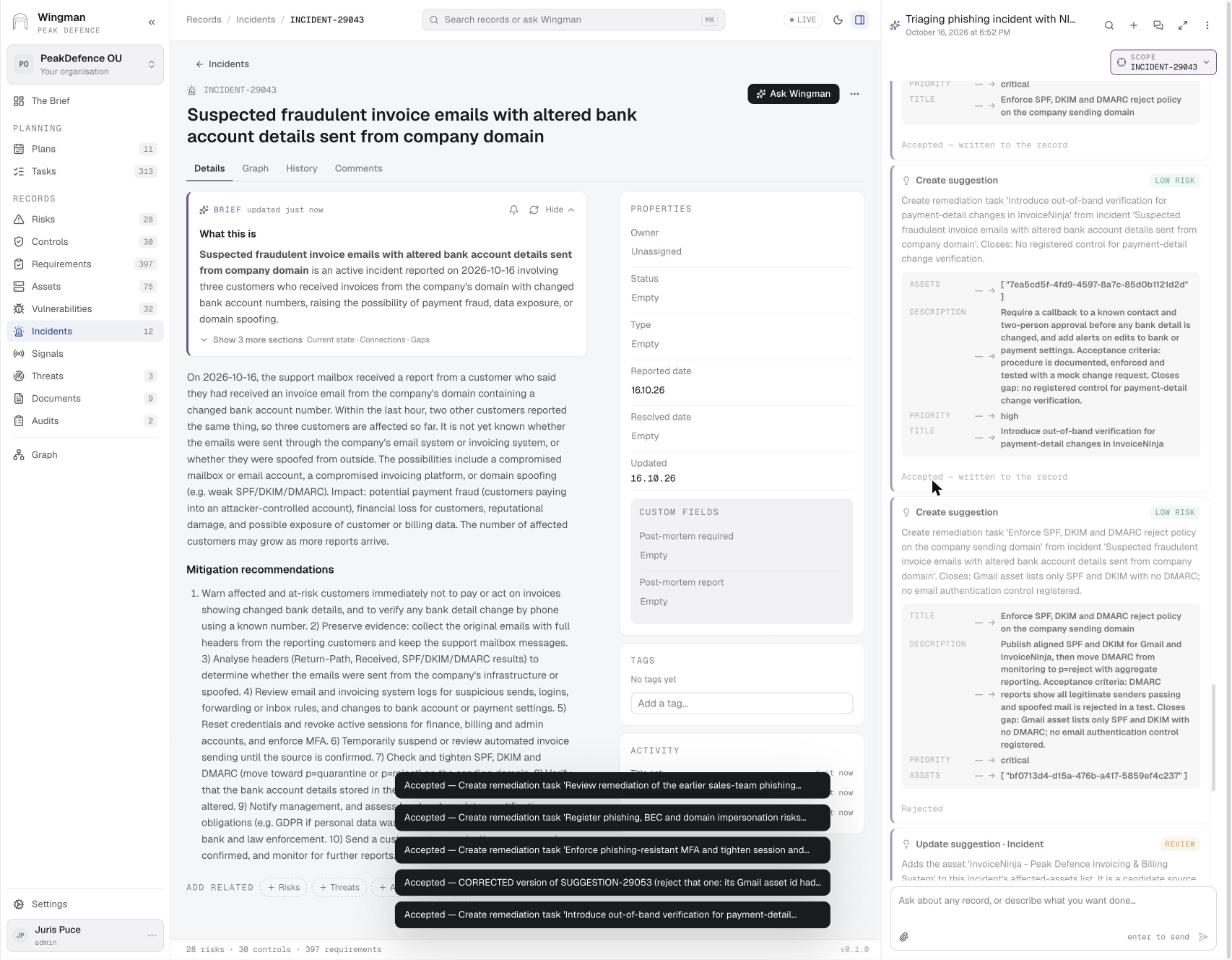
Remediation tasks accepted
Ask Wingman · step 4 Remediation tasks accepted Out-of-band verification for payment-detail changes, SPF/DKIM/DMARC reject policy, phishing-resistant MFA and more become tasks linked to the incident and its assets. One duplicate with a wrong id is rejected.
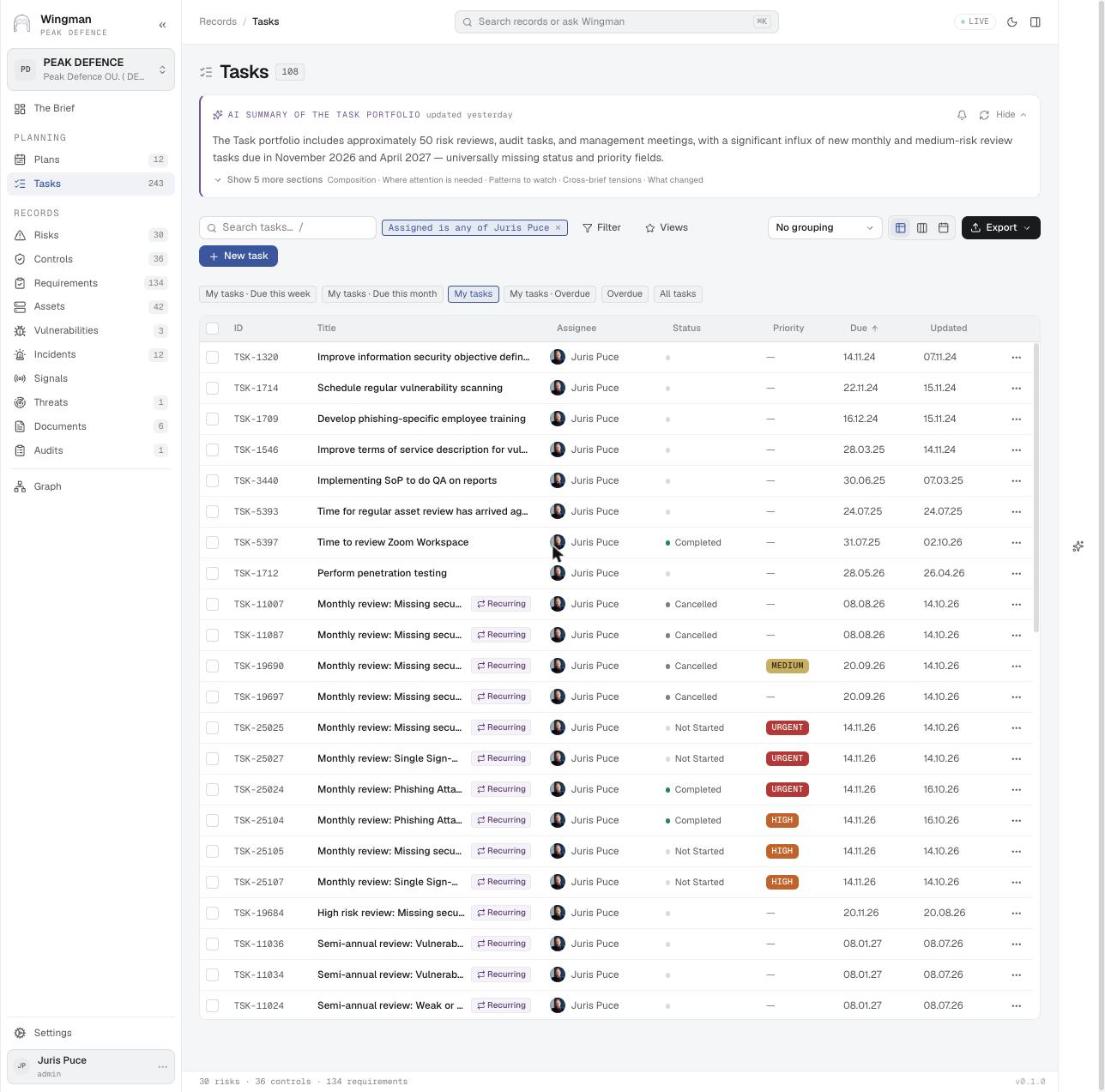
My tasks
Tasks My tasks Tasks filtered to one person, with recurring markers, priority chips, status and due dates. Quick views for this week, this month and overdue.

Screens for this stage · Stage 4: Communication
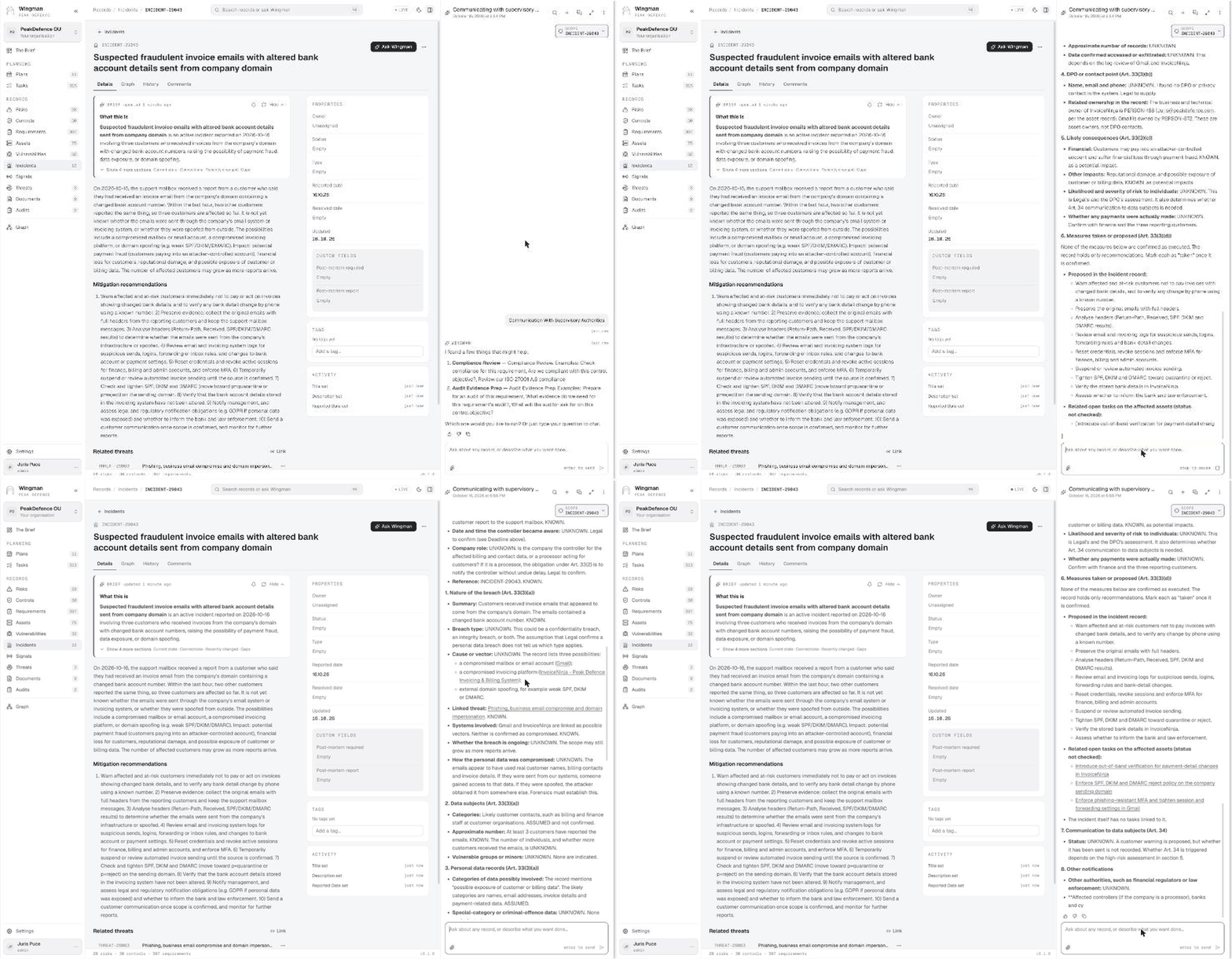
Draft the notification to the authority GIF
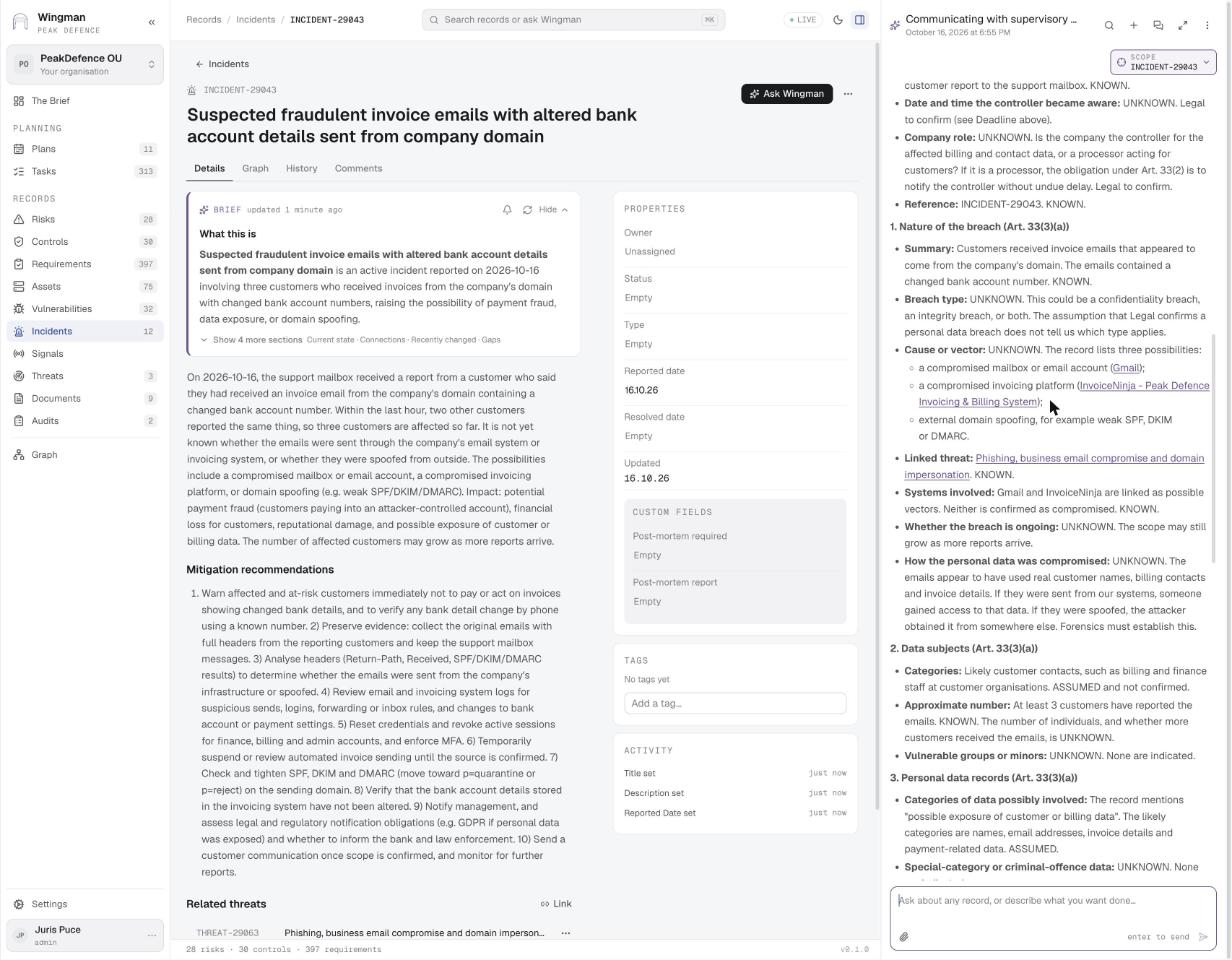
Ask Wingman Draft the notification to the authority Asked in plain words on the incident, WINGMAN fills the GDPR Article 33 notification from the record: nature of the breach, data subjects, data categories, DPO contact, likely consequences, measures taken, communication to data subjects, other notifications. Every field is marked KNOWN, UNKNOWN or ASSUMED.
Article 33(3)(a): nature of the breach
Ask Wingman · step 1 Article 33(3)(a): nature of the breach Summary, breach type, cause or vector with the three possibilities from the record, linked threat and systems, each marked KNOWN or UNKNOWN.
Draft customer security notice
Ask Wingman · step 2 Draft customer security notice Owner, timing, channels, subject and body, with the facts that must be confirmed before sending: wording on the source, whether to publish bank details, payments already made, personal data.

Screens for this stage · Stage 5: Post-mortem and risk review
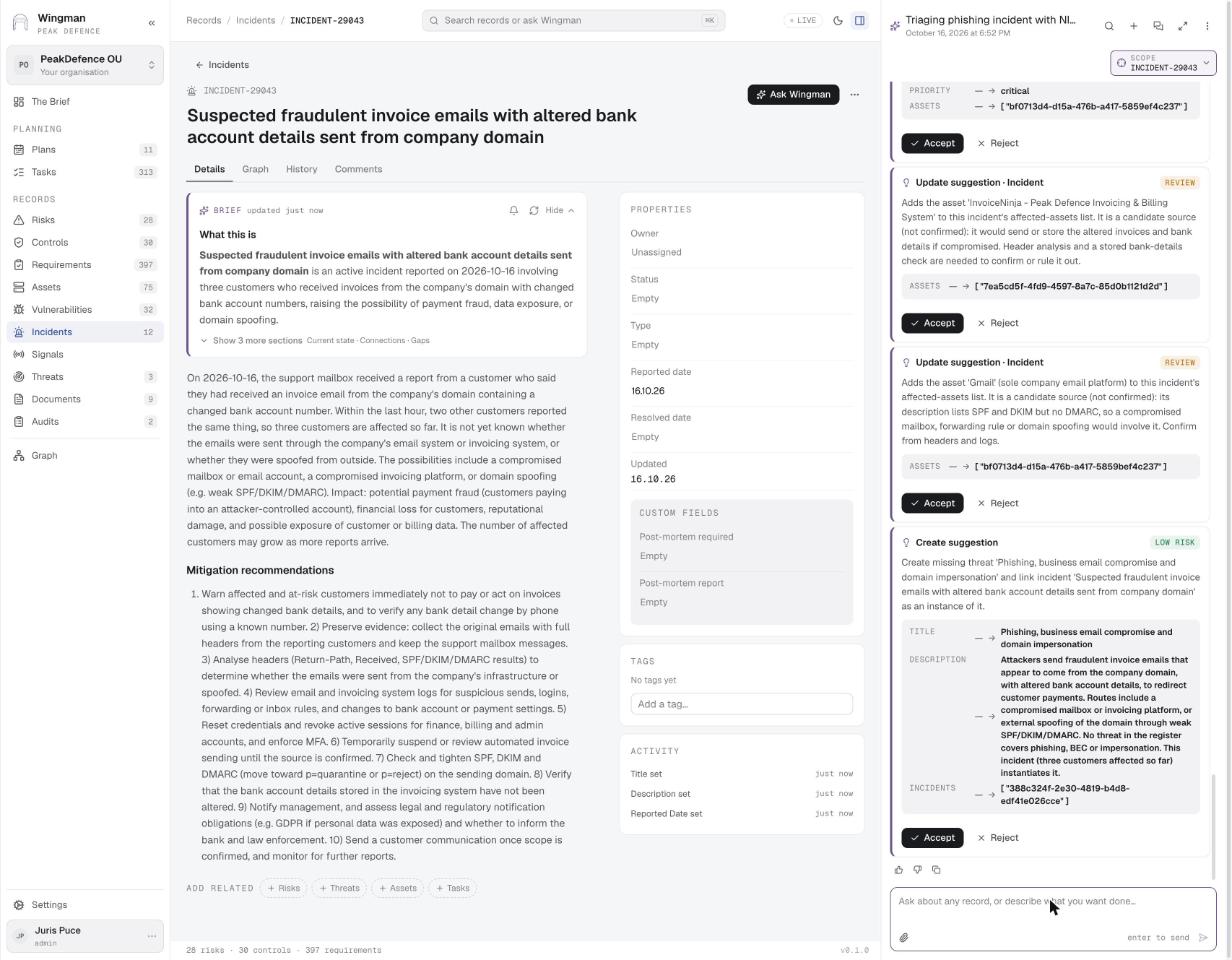
Suggestions: link assets, create the threat
Ask Wingman · step 3 Suggestions: link assets, create the threat Update suggestions add InvoiceNinja and Gmail as candidate sources; a create suggestion adds the threat Phishing, business email compromise and domain impersonation and links the incident as its instance.
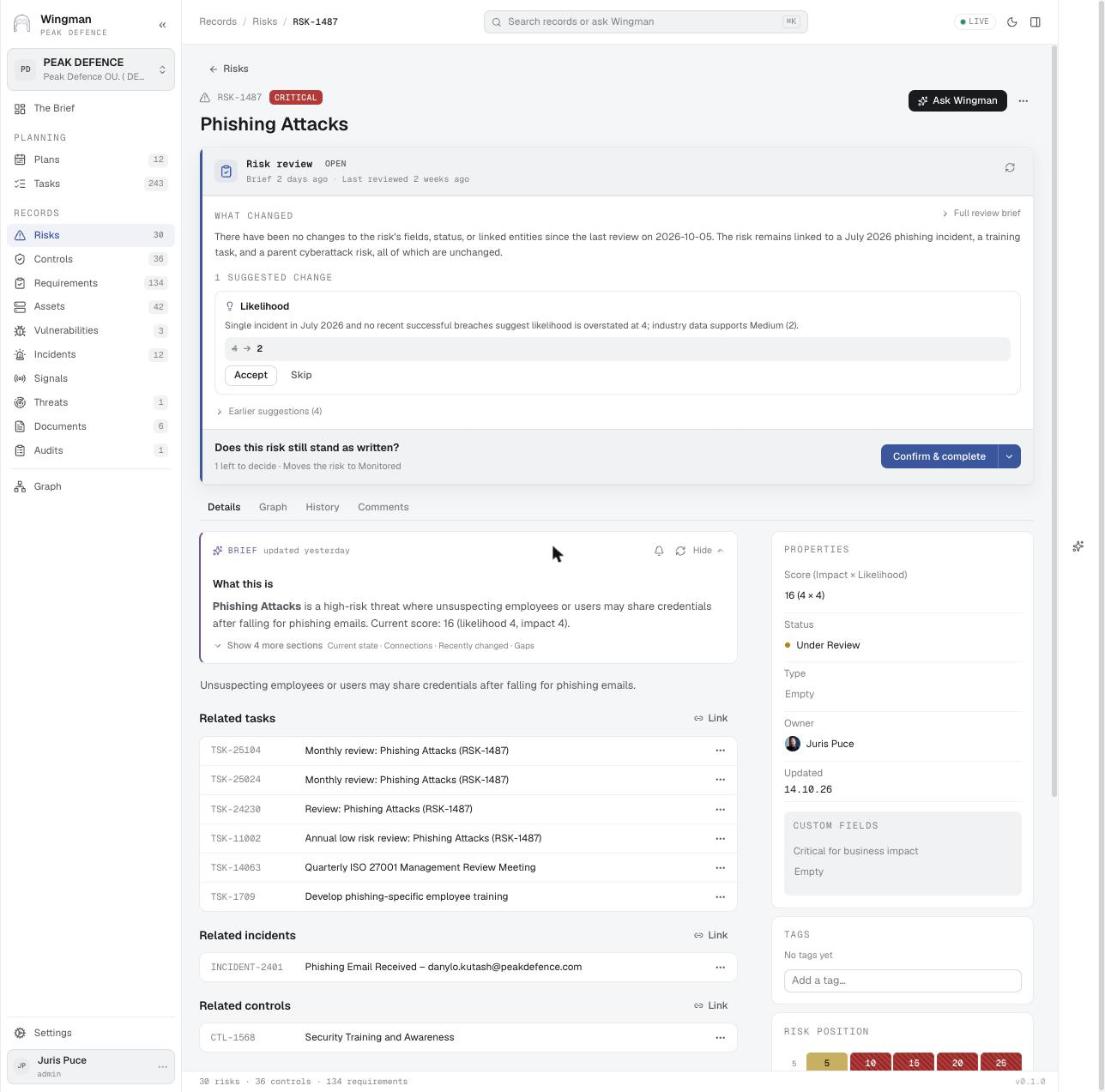
A risk with an open review and a suggestion
Risks A risk with an open review and a suggestion On the risk itself: what changed since the last review (a linked incident, a training task, a parent risk), one suggested change (likelihood 4 → 2 with the reason), and Confirm & complete.
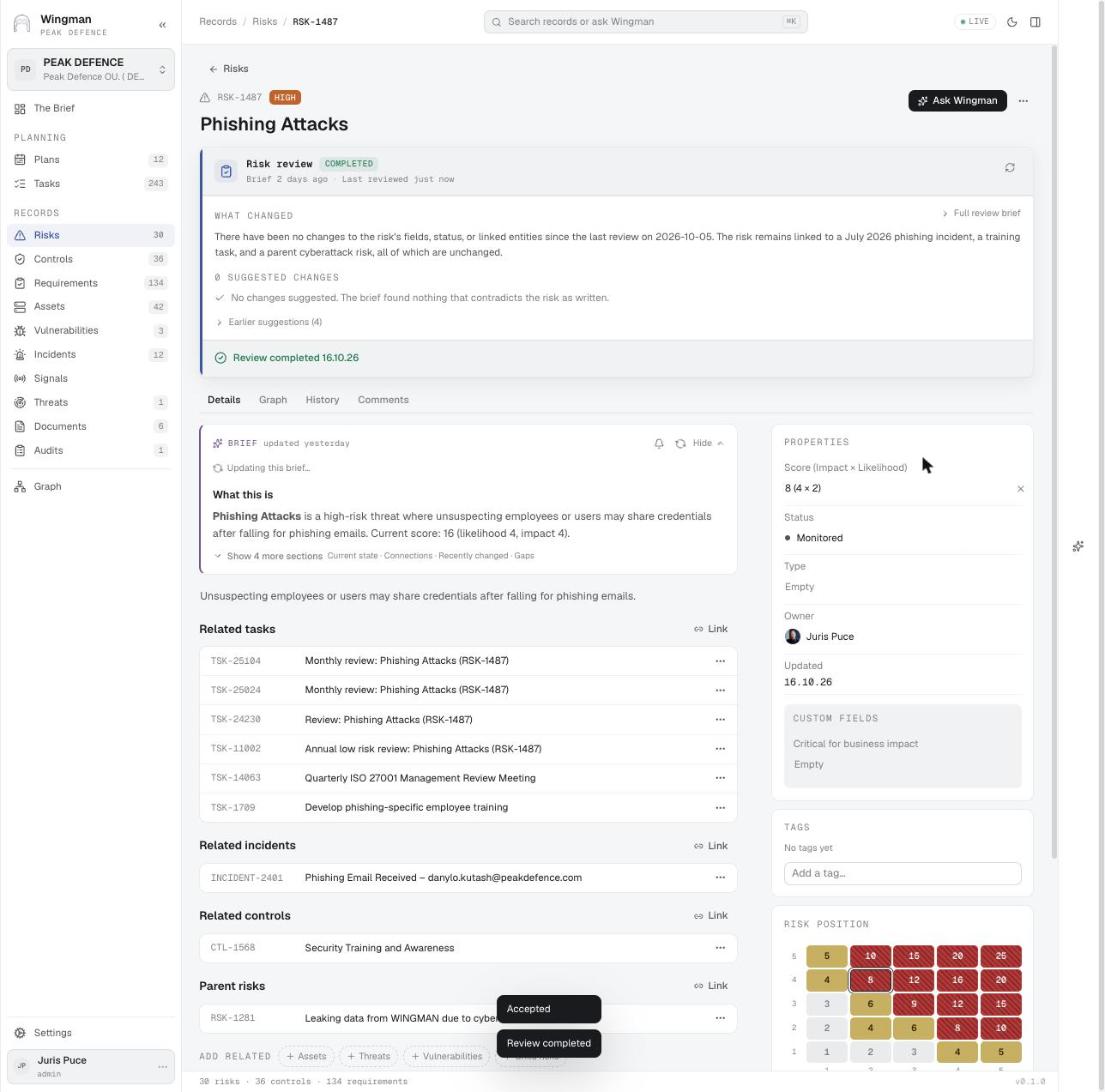
Review completed: score 16 → 8, Monitored
Risks · step 3 Review completed: score 16 → 8, Monitored The score drops from 16 to 8, severity from Critical to High, status moves to Monitored, the position on the matrix shifts, and the brief regenerates.

Sector angles

What this use case looks like under specific regulations.

Videos

WINGMAN AI GRC – risk management use case Regular risk reviews and new risk identification, plus incidents, signals and vulnerability changes between reviews.
WINGMAN AI GRC – financial sector (DORA, MiCA, ECB) Live signals on critical functions, ICT and supply-chain risk, major incidents decided by people, and supervisor reports drafted for submission.

Plays from youtube-nocookie.com. YouTube sets no cookies until you press play.

Other use cases

All use cases

See WINGMAN on your own data

We can walk through any of these use cases with your requirements, risks and controls.

Contact Peak Defence